CFxD 2.16.12 expands geometry creation and editing with interactive sketching, new modelling tools, and dedicated workflows for preparing fluid volumes.
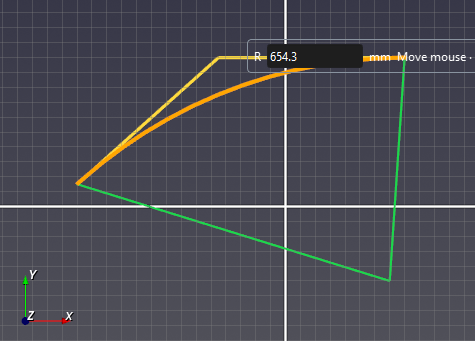
- 2D sketching: Draw points, lines, arcs, circles, curves, rectangles, ellipses, and regular polygons on standard planes or planar body faces. Live previews, snapping, and exact numeric input help position geometry.
- Interactive editing: Adjust endpoints, radii, and curves using editing handles. Connected endpoints move together to keep outlines joined.
- Round and Trim: Add tangent arcs to sketch corners and remove unwanted edge segments.
- Mirror: Reflect geometry across standard planes or planar faces in 3D, and across straight edges or reference axes in sketches.
- Linear and circular patterns: Create repeated sketch or 3D geometry with configurable counts, spacing, and pattern centres or axes.
- Enclosure: Create external fluid regions using box, sphere, or cylinder enclosures, with adjustable dimensions and a live preview.
- Fill: Create internal fluid volumes from existing walls by selecting opening boundaries and reviewing cap previews.
The sketch workflow now creates surfaces from closed profiles and divides suitable planar body faces. On-screen controls support sketch translation and rotation, while reference dimensions display measurements.
Native geometry operations support construction, Boolean operations, Pull and sweep, body assembly, and face division. ASCII and binary STL import includes unit selection and boundary validation. Simulation preparation preserves named boundaries and prepares volume regions and interfaces for meshing.
Compatibility: Legacy CAD geometry and STEP exchange remain supported. Keep a backup before resaving existing projects, as older versions may not read the native geometry data. Curved Boolean results use tolerance-controlled faceted geometry; sketch dimensions are reference measurements rather than constraints.