Steps
- Use the top menu or toolbar for project operations, unit selection, settings, and help.
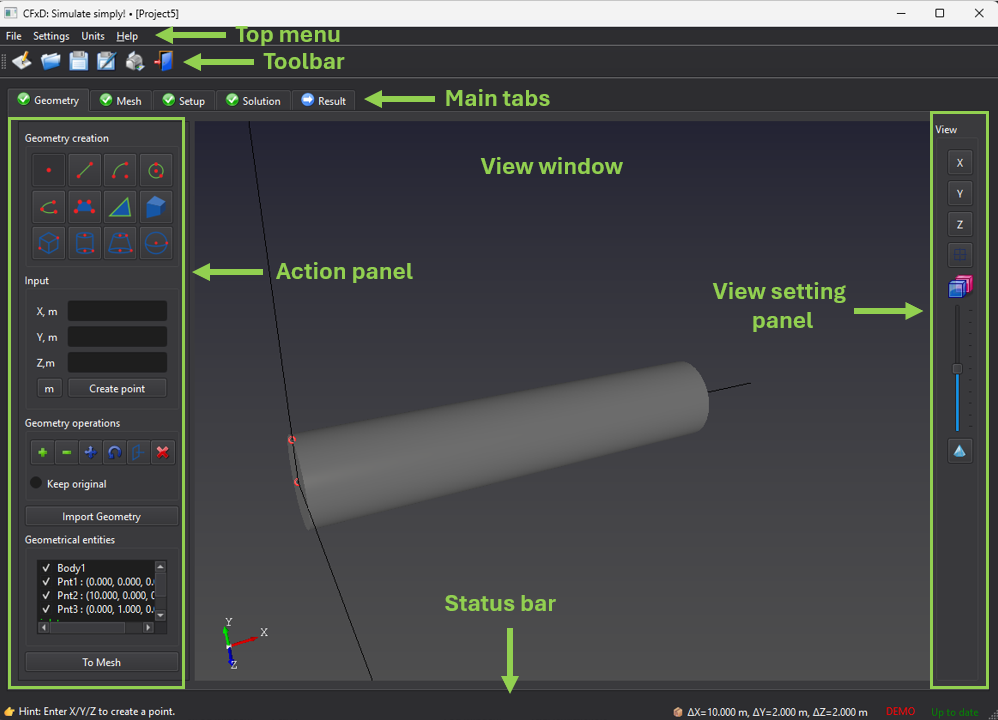
- Work through the Geometry, Mesh, Setup, Solution, and Result tabs. Use the action panel on the left and the view controls on the right.
- Read the status bar for hints, dimensions, license, and update status.
- Press F1 for context help. In Help, browse Contents or press Ctrl+K and type words from a title or article; press Enter to open a matching topic.