Steps
- Find the point or face in Monitoring entities.
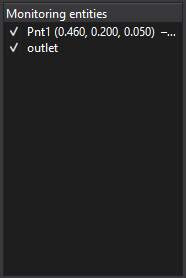
- Click the entry to open its settings and choose a variable.
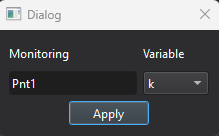
- Run or resume the solver and inspect its Monitoring graph.
Purpose · Steps · Inputs and units · Limitations · Related topics
Assign a monitored variable to a previously defined point or boundary face.
| Input or value | Meaning | Units |
|---|---|---|
| Entity / variable | A monitoring point or face and a quantity available for the active models. | Variable-dependent; use the dialog or graph labels |