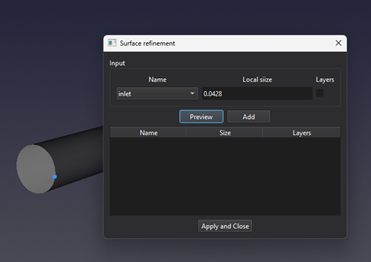
| Input or value | Meaning | Units |
|---|
| Surface name | Named external boundary or internal surface to configure. | Text selection |
| Refinement / Boundary layers | Enable local size and layer controls respectively. Both can be selected where supported. | On / off |
| Thin wall / Porous | Alternative baffle types for internal surfaces; only one can be selected. | On / off |
| Local size | Positive target spacing near the selected surface; use a value smaller than the global cell size. | m (SI); ft (Imperial) |
| Number of layers | Number of prism layers, from 1 to 100. | Integer count |
| First-layer thickness | Positive thickness of the layer adjacent to the surface. | m (SI); ft (Imperial) |
| Growth ratio | Thickness of each layer divided by the preceding layer thickness; allowed range 1 to 10. A value of 1 gives equal thicknesses. | Dimensionless |
| Total thickness | Calculated sum of all layer thicknesses, using the layer count, first-layer thickness, and growth ratio. | m (SI); ft (Imperial) |
| Settings table | Name identifies the surface; Refinement, Thin wall, Porous, and Layers show Yes or No. Size shows the local size, or a dash when no local size is stored. Layers indicates whether layers are enabled, not their count. | Flags and length in the Size column |