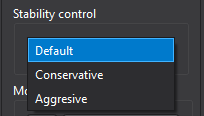
The Stability control panel allows to adjust the relaxation factors to improve solution stability.
It includes three preset modes: Aggressive, Default, and Conservative.
Aggressive uses higher relaxation factors and may speed up convergence, but it can
also make the solution unstable and lead to divergence.
Default provides a balanced setting and is recommended for most cases.
Conservative applies stronger damping (lower relaxation factors) to improve stability.
It may converge more slowly but is useful for difficult meshes or highly nonlinear flows.
Tips
The Conservative option may cause a flat never converged solution.