
Solution → Input panel
Purpose · Steps · Inputs and units · Limitations · Related topics
Purpose
Enter the location of a solution monitoring point.
Steps
- Select the monitoring Point tool.
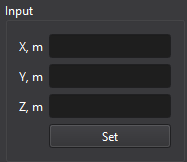
- Enter X, Y, and Z and use the point creation action.
- Select the new monitoring entity to choose the quantity to record.
Inputs and units
| Input or value | Meaning | Units |
|---|---|---|
| Coordinates / lengths | Use the unit displayed beside the field. | m (SI); ft (Imperial) |
| X, Y, Z | Monitoring position in global coordinates. | m (SI); ft (Imperial) |