Result → Post point
Post-processing on point
- Create a post-processing point by selecting the Point tool.

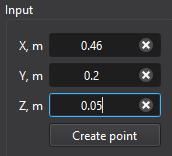
- Enter the point coordinates in the Input panel.
Tips
- The created post point is displayed as a red marker in the Result view window.

Computational Fluid x-Dynamics (CFxD)
Break the boundaries!