
Geometry → Bodies subtract
Body subtract
- Select the Subtract tool to start a Boolean subtraction operation.

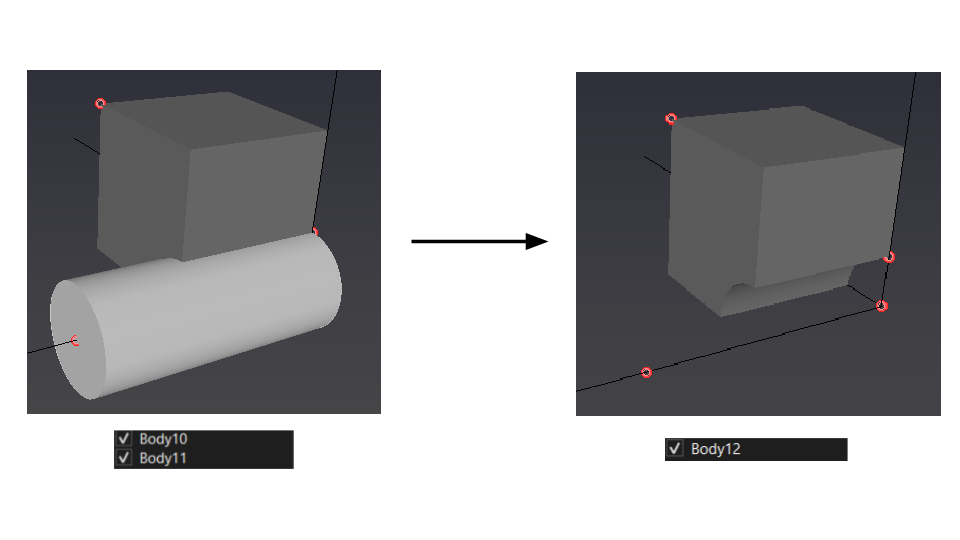
- Select the main body (the body to keep) with the left mouse button (LMB), then select the tool body (the body to remove).
If the bodies overlap, CFxD subtracts the second body from the first.
Tips
- This tool is typically used to subtract a solid from a fluid domain (for example, to create an internal obstacle).