
Geometry → Geometrical entities window
Geometrical entities window
- The Geometrical entities window lists all geometry objects in the current project.
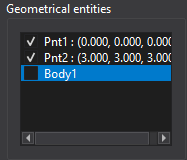
- Use the checkbox to hide or show an object in the View window.
- To delete an object, open the context menu with the right mouse button (RMB) and select Delete.
Tips
- Click an object in the list to highlight it in the View window.